





Nonfiction
eBook
Details
PUBLISHED
Made available through hoopla
DESCRIPTION
1 online resource
ISBN/ISSN
LANGUAGE
NOTES
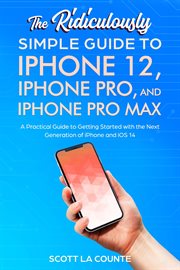
Getting an iPhone can be thrilling and intimidating all at once! On the one hand, it's like getting a new toy-and one of the best phones money can buy. One the other hand, being arguably the best phone means it comes packed with lots of features-lots and lots of features! How do you use all of them? This guide is, formatted in a way to help you use your phone (and all its powerful features) as quickly as possible. Nobody likes to spend hours with a manual! They want to use their new toy! I purposely have written this guide to be a little more casual and fun than what you expect from most iPhone manuals. The iPhone is a fun gadget, and any guide should be an equally fun read. Some of the included topics: - What's new to iOS 14 - Using an iPhone that doesn't have a Home button - Using Face ID - How to use Picture in Picture for movies and TV shows - How to add widgets to your Home screen - Organizing apps with the App Library - Buying, removing, rearranging, updating apps - MagSafe - Taking, editing, organizing and sharing photos - Apple Services (Apple Music, Apple TV+, Apple Card, iCloud, and Fitness+) - Using Siri - Using pre-installed apps like Notes, Calendar, Reminders, and more - Making phone calls and sending messages - Creating Animoji's - Must have apps - And much, much more! Are you ready to start enjoying your new iPhone? Then let's get started!
Mode of access: World Wide Web