






Nonfiction
eBook
Details
PUBLISHED
Made available through hoopla
DESCRIPTION
1 online resource
ISBN/ISSN
LANGUAGE
NOTES
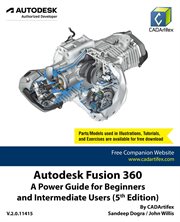
Autodesk Fusion 360: A Power Guide for Beginners and Intermediate Users (5th Edition) textbook has been designed for instructor-led courses as well as self-paced learning. It is intended to help engineers and designers, interested in learning Fusion 360, to create 3D mechanical designs. This textbook is a great help for new Fusion 360 users and a great teaching aid for classroom training. This textbook consists of 14 chapters, a total of 760 pages covering major workspaces of Fusion 360 such as DESIGN, ANIMATION, and DRAWING. The textbook teaches you to use Fusion 360 mechanical design software for building parametric 3D solid components and assemblies as well as creating animations and 2D drawings. This edition of textbook has been developed using Autodesk Fusion 360 software version: 2.0.11415.This textbook not only focuses on the usages of the tools/commands of Fusion 360 but also on the concept of design. Every chapter in this textbook contains tutorials that provide users with step-by-step instructions for creating mechanical designs and drawings with ease. Moreover, every chapter ends with hands-on test drives that allow users to experience for themselves the user friendly and powerful capacities of Fusion 360.Table of Contents:Chapter 1. Introducing Fusion 360Chapter 2. Drawing Sketches with Autodesk Fusion 360Chapter 3. Editing and Modifying SketchesChapter 4. Applying Constraints and DimensionsChapter 5. Creating Base Feature of Solid ModelsChapter 6. Creating Construction GeometriesChapter 7. Advanced Modeling - IChapter 8. Advanced Modeling - IIChapter 9. Patterning and MirroringChapter 10. Editing and Modifying 3D ModelsChapter 11. Working with Assemblies - IChapter 12. Working with Assemblies - IIChapter 13. Creating Animation of a DesignChapter 14. Working with Drawings
Mode of access: World Wide Web